

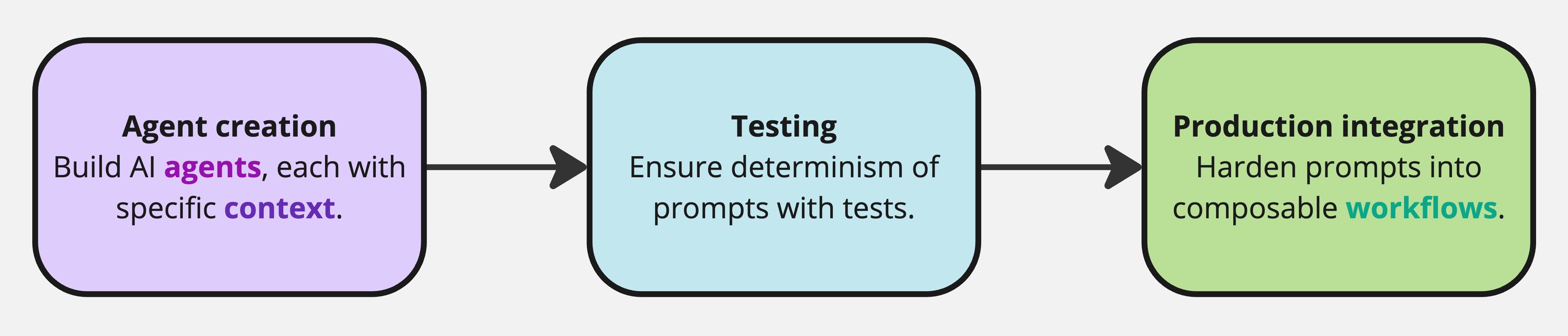
- Agent Configuration: Define agents using
.agentic.ymlfiles that specify their instructions. Agents are provided tools to generate SQL, execute semantic queries, and execute procedures. - Procedure Development: Create
.procedure.ymlfiles to orchestrate multi-step processes. Useretrieve: includeandexcludeto control how these procedures are retrieved by agents that have access to them. - Testing Framework: Add test cases directly to
.agentic.ymlor.procedure.ymlfiles. Execute tests using theoxy testcommand.
oxy start. Oxygen is also CLI-native, so every operation can be run from the terminal, making it easy to integrate with coding tools like Claude Code and CI/CD pipelines.
Who should read what?
The documentation is split into two audiences: End users — data analysts, business users, and developers who use Oxy to query data, build agents, and create workflows. Start here:Quickstart
Install Oxy and run your first query in minutes
Core Concepts
Agentic workflows, semantic layer, data apps
Basic Oxy commands
CLI reference for running and testing agents
Deployment Overview
Deploy Oxy on cloud, Docker, or Kubernetes
Deployment Modes
Multi-workspace vs single-workspace mode
Authentication
Magic link, Google OAuth, Okta SSO
GitHub App Setup
Enable GitHub workspace import