> ## Documentation Index
> Fetch the complete documentation index at: https://oxy.tech/docs/llms.txt
> Use this file to discover all available pages before exploring further.
# Builder Agent, Workspace Management, and Thinking Budget
> New builder copilot agent, multi-workspace deployment modes with member management, and extended thinking toggle
**April 9, 2026**
### New Features
#### Builder Agent
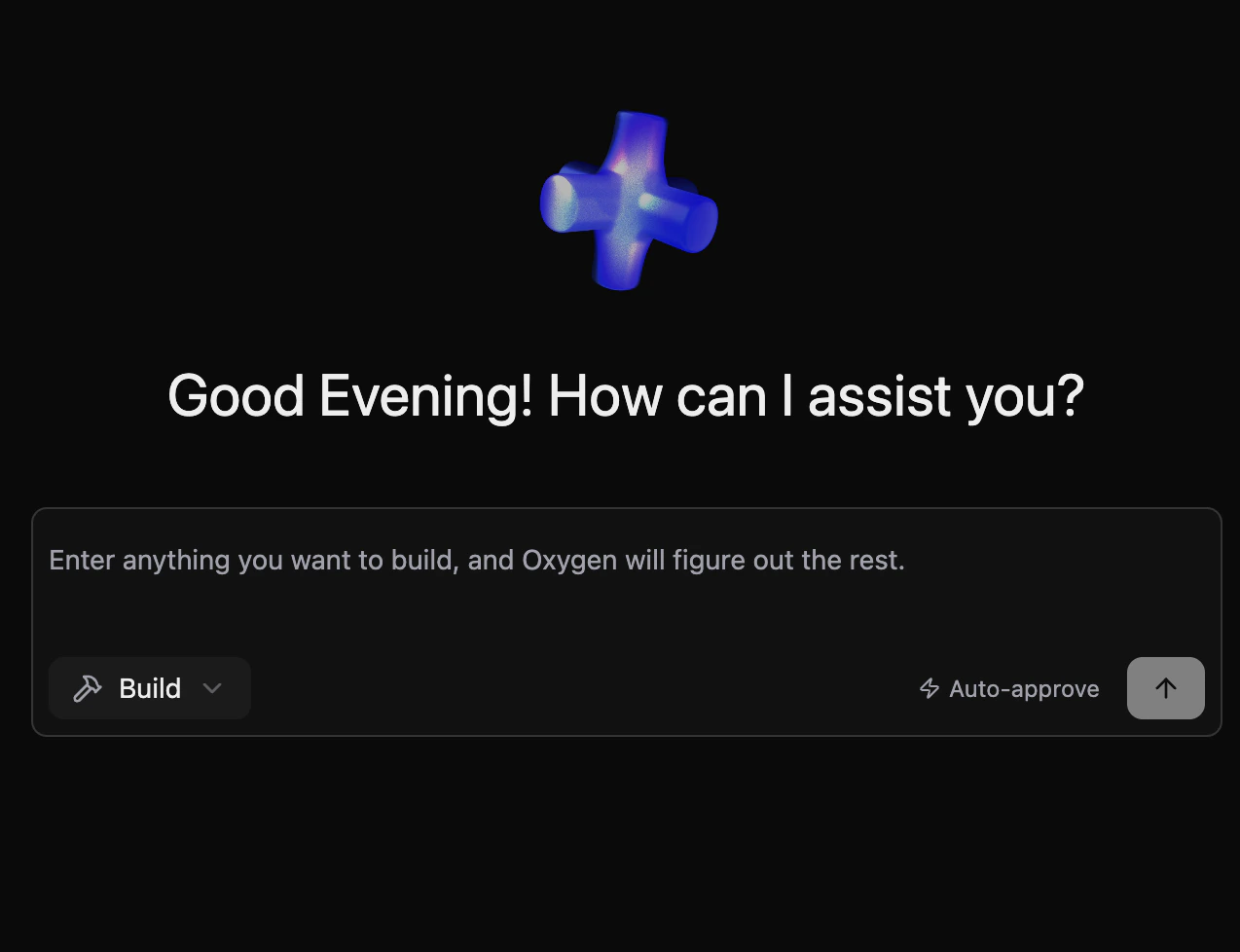
A new builder copilot agent that can read, modify, and iterate on your Oxygen project files through an AI-driven pipeline:
* **Project File Operations** — Reads and writes configuration files, workflows, and semantic definitions within your project
* **SQL Execution** — Runs queries against project databases as part of the build process to validate changes in real time
* **Agentic Pipeline** — Built on the same FSM framework as analytics agents, with full support for suspension, tool use, and result interpretation
 #### Workspace Management
Oxygen now ships with three distinct deployment modes depending on your setup:
| Mode | Command | Use when |
| ----------------------- | ------------------- | ----------------------------------------------------------------------- |
| Local machine | `oxy start` | Running on your laptop — PostgreSQL auto-managed in Docker |
| Remote server | `oxy serve --local` | Deploying to a VM or container with a single fixed workspace |
| Cloud / multi-workspace | `oxy serve` | Multi-tenant platform where users manage multiple workspaces via the UI |
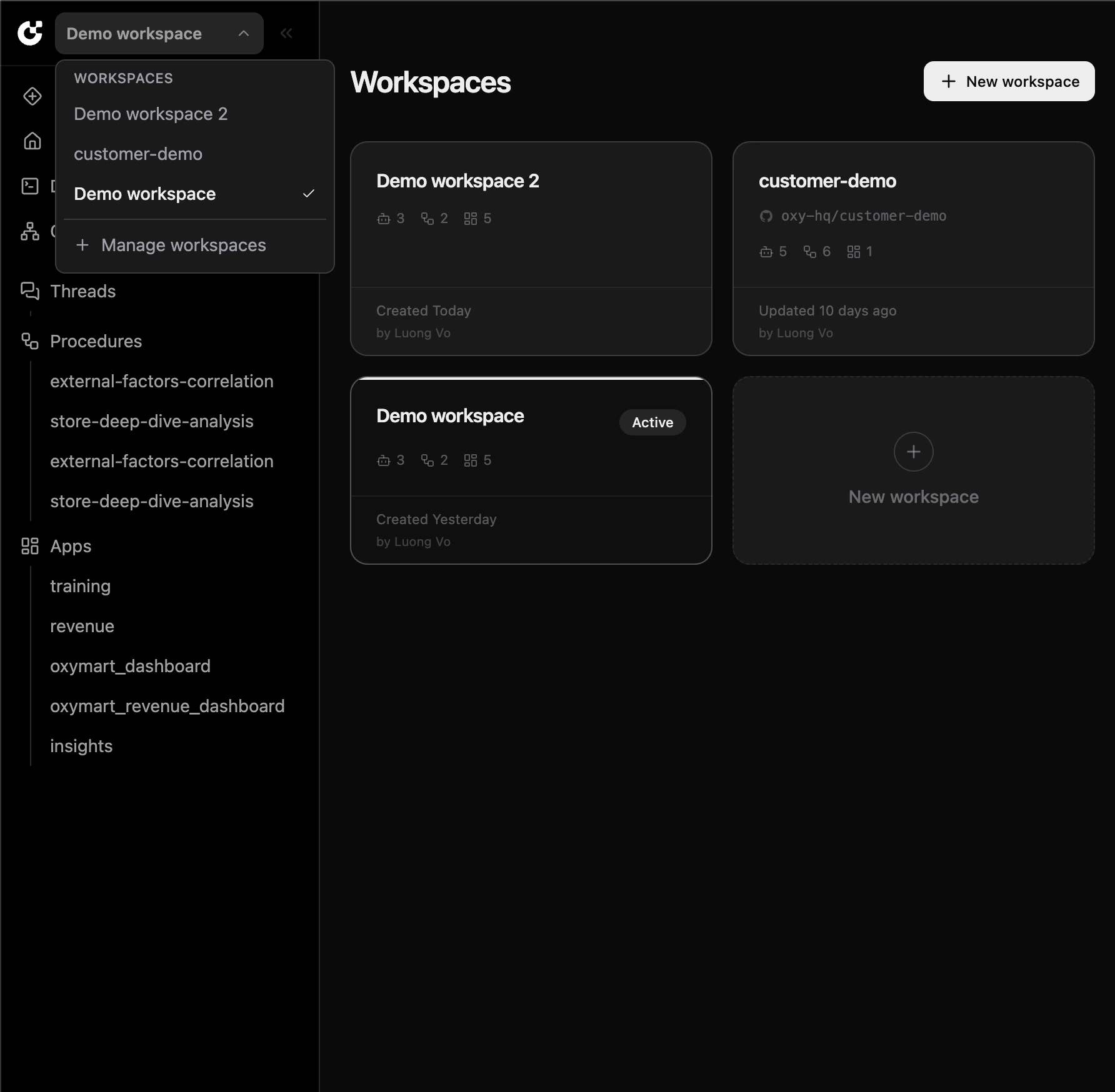
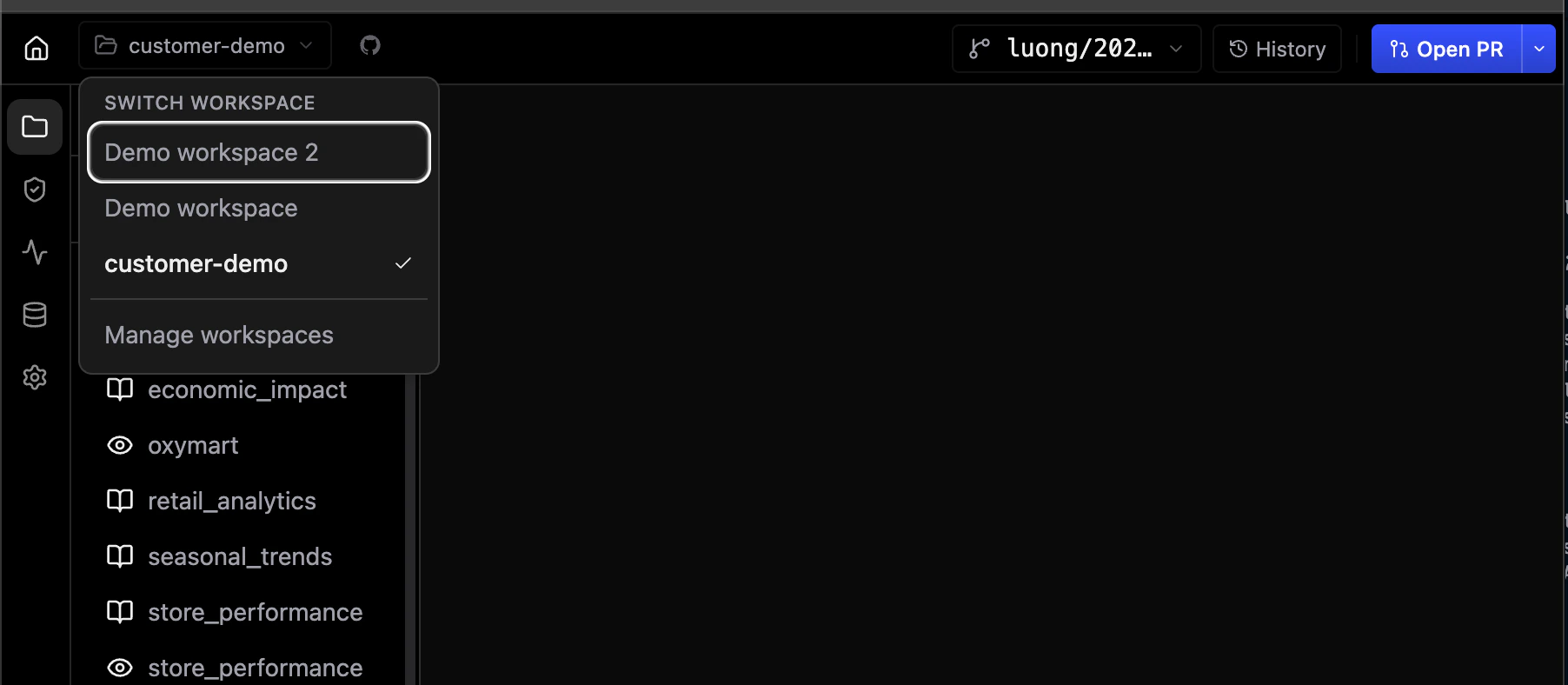
* **Multi-Workspace Mode** — Users import repositories from GitHub and switch between workspaces directly from the UI. Requires an external PostgreSQL database and a GitHub App.
* **Local Mode (`--local`)** — Serves one fixed workspace directory with an embedded PostgreSQL instance on disk — no Docker required.
* **Onboarding Flow** — First-time workspace setup is guided through the UI when no projects are detected.
#### Workspace Management
Oxygen now ships with three distinct deployment modes depending on your setup:
| Mode | Command | Use when |
| ----------------------- | ------------------- | ----------------------------------------------------------------------- |
| Local machine | `oxy start` | Running on your laptop — PostgreSQL auto-managed in Docker |
| Remote server | `oxy serve --local` | Deploying to a VM or container with a single fixed workspace |
| Cloud / multi-workspace | `oxy serve` | Multi-tenant platform where users manage multiple workspaces via the UI |
* **Multi-Workspace Mode** — Users import repositories from GitHub and switch between workspaces directly from the UI. Requires an external PostgreSQL database and a GitHub App.
* **Local Mode (`--local`)** — Serves one fixed workspace directory with an embedded PostgreSQL instance on disk — no Docker required.
* **Onboarding Flow** — First-time workspace setup is guided through the UI when no projects are detected.
 #### Workspace Member Management
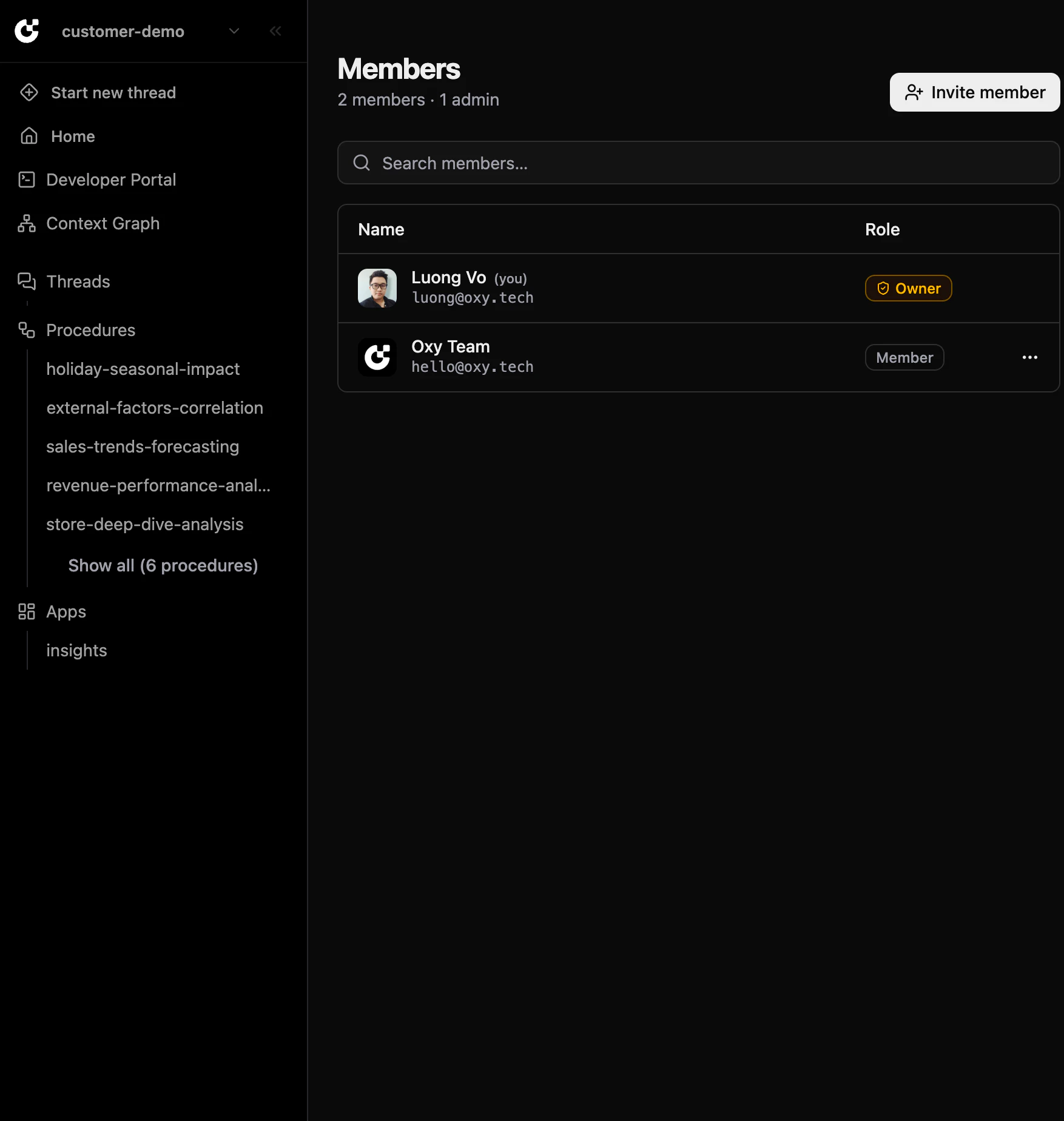
Multi-workspace deployments now support role-based access control for workspace members:
* **Owner Role** — Set `OXY_OWNER` to an email address; that user receives the Owner role on login and can promote others to Admin through the UI
* **Invite Members** — Workspace owners can invite members directly from the Members page
* **Role Management** — Manage member roles (Owner, Admin, Member) without touching server configuration
#### Workspace Member Management
Multi-workspace deployments now support role-based access control for workspace members:
* **Owner Role** — Set `OXY_OWNER` to an email address; that user receives the Owner role on login and can promote others to Admin through the UI
* **Invite Members** — Workspace owners can invite members directly from the Members page
* **Role Management** — Manage member roles (Owner, Admin, Member) without touching server configuration
 #### Thinking Budget Toggle
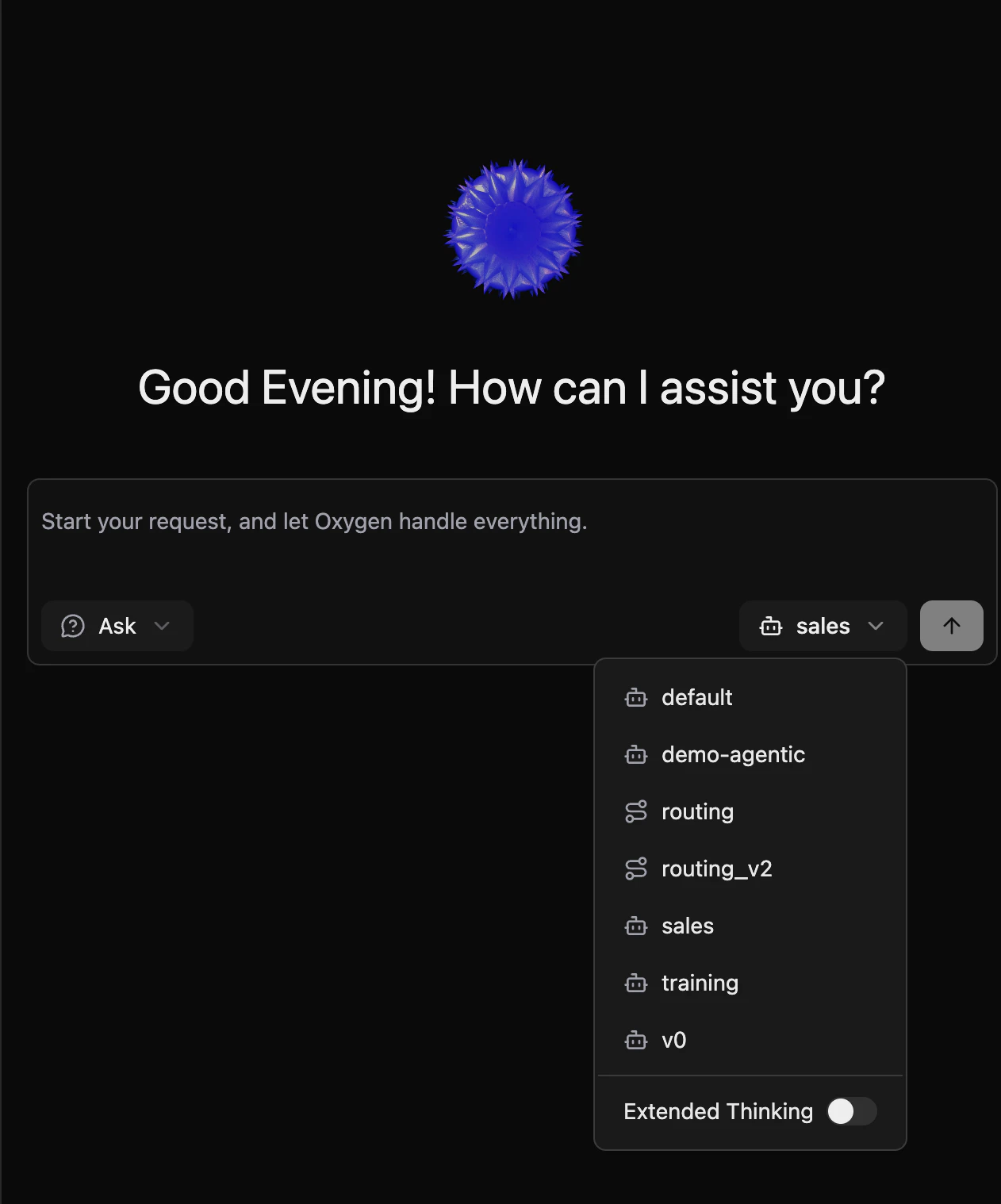
Analytics agents now expose an extended thinking toggle in the UI:
* **Extended Thinking Mode** — Enable to give the agent a larger reasoning budget, improving answer quality for complex or ambiguous analytical questions
* **Per-State Model Overrides** — Configure different LLM models for individual pipeline states in `.agentic.yml` for fine-grained cost and quality control
```yaml theme={null}
states:
clarifying:
model: claude-opus-4-6
max_retries: 10
solving:
model: claude-sonnet-4-6
max_retries: 10
```
#### Thinking Budget Toggle
Analytics agents now expose an extended thinking toggle in the UI:
* **Extended Thinking Mode** — Enable to give the agent a larger reasoning budget, improving answer quality for complex or ambiguous analytical questions
* **Per-State Model Overrides** — Configure different LLM models for individual pipeline states in `.agentic.yml` for fine-grained cost and quality control
```yaml theme={null}
states:
clarifying:
model: claude-opus-4-6
max_retries: 10
solving:
model: claude-sonnet-4-6
max_retries: 10
```
 ***
### Platform Improvements
#### UI/UX Consistency
* **Editable Filters and Ordering** — Filters and sort order in the agentic workflow panel are now fully editable, consistent with measures and dimensions
* **Procedure Graph Fixes** — Resize handle no longer appears before a run starts; running state animation now correctly reflects concurrent loop execution across all branches
* **Unified Loading States** — Consistent skeleton and spinner components across threads, analytics, app-builder, and other pages
* **Color System** — Migrated hardcoded colors to CSS custom properties for consistent theming in both light and dark mode
* **Unified Error Display** — Single `ErrorAlert` component replaces scattered error patterns throughout the app
* **Login Page** — Updated to the latest logo; fixed `or` separator background color inconsistency
* **Favicon** — Updated for better visibility across light and dark browser themes
#### Deployment Documentation
* **Deployment Modes Guide** — Updated deployment docs now clearly distinguish between single-workspace (local) and multi-workspace modes, with step-by-step environment variable setup, variable reference tables, and AWS SSM usage examples
* **GitHub App Integration Guide** — New dedicated guide for setting up a GitHub App for workspace import and Git integration in multi-workspace mode
#### Error Handling
* **Environment Variable Validation** — Missing required environment variables now cause a startup failure with a clear error message instead of silently falling back to empty strings, preventing misconfigured deployments from reaching production undetected
***
### Platform Improvements
#### UI/UX Consistency
* **Editable Filters and Ordering** — Filters and sort order in the agentic workflow panel are now fully editable, consistent with measures and dimensions
* **Procedure Graph Fixes** — Resize handle no longer appears before a run starts; running state animation now correctly reflects concurrent loop execution across all branches
* **Unified Loading States** — Consistent skeleton and spinner components across threads, analytics, app-builder, and other pages
* **Color System** — Migrated hardcoded colors to CSS custom properties for consistent theming in both light and dark mode
* **Unified Error Display** — Single `ErrorAlert` component replaces scattered error patterns throughout the app
* **Login Page** — Updated to the latest logo; fixed `or` separator background color inconsistency
* **Favicon** — Updated for better visibility across light and dark browser themes
#### Deployment Documentation
* **Deployment Modes Guide** — Updated deployment docs now clearly distinguish between single-workspace (local) and multi-workspace modes, with step-by-step environment variable setup, variable reference tables, and AWS SSM usage examples
* **GitHub App Integration Guide** — New dedicated guide for setting up a GitHub App for workspace import and Git integration in multi-workspace mode
#### Error Handling
* **Environment Variable Validation** — Missing required environment variables now cause a startup failure with a clear error message instead of silently falling back to empty strings, preventing misconfigured deployments from reaching production undetected